A hospital IT team in a large health system. Six shared tablet carts across three floors. Forty nurses on each shift, and no formal check-out process — just a whiteboard near the nursing station with names and device numbers. By Tuesday morning, three tablets are missing, two are dead, and the IT help desk has four tickets in the queue from staff who couldn’t get a device.
This isn’t a fringe scenario. It’s the daily reality for IT teams managing shared device fleets in healthcare, manufacturing, education, and corporate environments. The fleet grew. The process didn’t.
The IT Team’s Role in Shared Device Management
Shared device programs look simple from the outside. A pool of devices. Employees pick one up, do their work, put it back. But IT bears the full operational weight behind that transaction.
In practice, that means procuring, configuring, and maintaining the fleet — ensuring devices are enrolled in MDM, running compliant software, and replaced before they become a support liability. It means managing how devices are distributed at the start of each shift or session. It means ensuring every device is charged and available when employees arrive. And it means tracking which device went where, who used it, and whether it came back in working condition.
Without a system built for this, IT becomes the system. Staff walk up to the help desk with a request. Someone hands over a device. Something gets written down, or doesn’t. The device comes back — eventually, usually, mostly.
That works at small scale. It stops working when the fleet reaches 50, 100, or 300 devices distributed across multiple buildings or shifts.
Where Manual Processes Break Down
The failure points of non-automated shared device management are predictable. They show up at the same places in nearly every organization that has scaled past a handful of devices.
- IT-assisted handoffs become a staffing problem. When every device distribution requires a team member’s involvement, the number of transactions IT can handle is capped by headcount. At shift-change in a warehouse running three daily shifts, that’s a surge of device requests every eight hours. At 9am in a school, it’s 30 teachers needing charged, enrolled Chromebooks simultaneously. The handoff model doesn’t scale without proportionally scaling the team.
- There’s no reliable system of record. Paper sign-out sheets and spreadsheets degrade quickly. Entries get skipped during busy periods. Devices move between users without any update to the log. When IT needs to know which device is with whom — for a compliance audit, a security incident, or a missing device report — the answer is often “we think it’s with someone in department X.” That’s not an audit trail. That’s a guess.
- Devices come back damaged with no accountability. When there’s no record linking a specific user to a specific device at a specific time, there’s no way to trace responsibility when a cracked screen shows up in the return pile. The cost gets absorbed. The behavior continues.
- Charging is chaotic. Devices returned to an unmanaged cart or shelf don’t always get plugged in. Staff arriving for a shift find devices with 12% battery. IT gets the ticket, despite having no visibility into the charging state of any individual device.
The data on untracked device loss is significant. Chicago Public Schools reported more than 77,000 laptops and tablets missing in 2021 — valued at over $23 million. UK government departments recorded more than 2,000 missing devices in a single year.
Those are extreme cases, but the underlying dynamic holds across sectors: devices without formal tracking tend to disappear. IBM research indicates that structured asset management can raise productivity by as much as 28%, and organizations with stronger asset visibility cut repair and maintenance costs by 18%.
What Automated Device Locker Systems Do
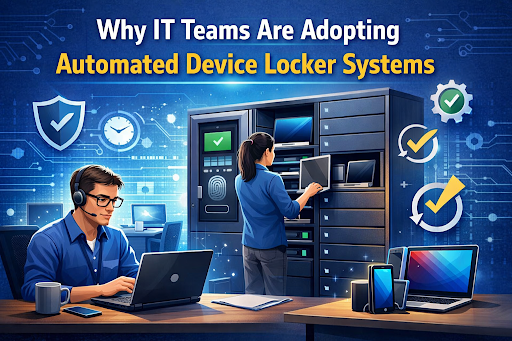
IT teams are increasingly deploying automated device locker systems that replace manual handoff workflows with self-service access, built-in charging, and digital usage tracking — removing the need for IT involvement in routine device transactions.
The core architecture is straightforward: secure, individually locked compartments, each with dedicated charging. Employees authenticate at the kiosk — via badge, SSO, PIN, or biometric — and are assigned a specific device. The transaction is logged automatically: who checked out which device, at what time, from which location. When the device is returned, the compartment locks, charging begins, and the return is recorded.
For IT, this changes the operational model entirely. Instead of being the bottleneck for every device handoff, IT sets the policy. The system enforces it. Administrators get a real-time dashboard showing device availability, charge status, and usage history across all locations. Reports are exportable. Audit trails are built in. If a device goes missing, IT knows exactly who had it last and when — not because someone wrote it down, but because the system logged it automatically.
Operational Benefits for IT Departments
The efficiency gains from IT device management automation concentrate in a few specific areas.
- Routine help desk tickets drop. When employees can access shared devices without IT involvement — and devices are reliably charged and ready — the volume of device-access tickets falls sharply. The time IT spends on “I can’t find a device” or “the device is dead” requests approaches zero.
- Accountability replaces assumption. Every checkout and return is logged automatically. When a device comes back with a cracked screen, IT knows who had it. That audit trail changes employee behavior — and it eliminates the guesswork that previously accompanied every device incident.
- Fewer devices go missing. Secured compartments with authenticated checkout mean devices can’t be borrowed informally or walk out unrecorded. Organizations deploying smart lockers for IT teams report measurable reductions in unexplained device loss, which directly affects hardware replacement budgets.
- IT focus shifts to higher-value work. When routine device handoffs run without staff involvement, IT recovers time for configuration work, security hardening, and fleet planning. Industry benchmarks put the average cost per service desk ticket between $15 and $50 — and complex incidents higher still. Removing a category of tickets entirely has a direct budget impact, not just an operational one.
Integration with Existing IT Infrastructure
Automated IT asset management systems don’t operate in isolation. For IT teams managing existing stacks — ITSM platforms, MDM tools, identity providers — integration is a prerequisite, not a nice-to-have.
Modern device locker systems connect with the tools IT already relies on. ITSM integrations with ServiceNow and Jira support automated ticket creation when a device is checked in for repair. MDM integrations with Jamf, Intune, Google Admin, and SOTI ensure the locker system works from an accurate, up-to-date device inventory. Identity integrations — Okta, Azure AD, SAML-based SSO — allow employees to authenticate at the kiosk using their existing credentials, with no additional enrollment step required.
For multi-site organizations, centralized dashboards give IT visibility across locations without requiring on-site staff at each one. API connectivity supports reporting workflows and audit exports that feed into broader ITAM systems. The locker becomes a node in the IT stack — not a parallel system that creates its own record-keeping burden.
What IT Teams Should Evaluate Before Deploying
For IT decision-makers scoping a device locker system for organizations, a few variables determine fit and sizing.
- Device volume and transaction frequency. How many shared devices are in circulation? How many handoffs happen per day, per shift, per location? High-frequency environments — shift-based manufacturing, hospital floors, school libraries — have different capacity requirements than low-frequency ones.
- Authentication method compatibility. Badge readers, SSO, PIN, and biometric options each have integration requirements. Confirming compatibility with the existing identity provider before procurement avoids retrofitting later.
- Reporting and audit trail capabilities. If the use case involves compliance, audit readiness, or formal chain-of-custody documentation, verify that the system produces exportable logs with the granularity required — Who, What, When, and from which location.
- Locker capacity and placement. A locker positioned away from where employees actually start their shifts won’t be used consistently. Capacity should match peak demand, not average demand — morning rushes, shift changes, and exam periods create the real test.
- Security certification. For organizations handling sensitive data or subject to compliance requirements, SOC 2 Type 2 certification matters. Verify that the platform, not just the hardware, meets the bar.
Shared device programs aren’t going to shrink. Fleets are expanding as organizations add shift-based roles, extend hybrid work, and push devices further into frontline workflows. The IT teams managing those fleets can absorb that growth with more manual process — more staff time, more spreadsheets, more guesswork — or they can build infrastructure that handles routine transactions automatically.
The adoption of shared device automation for IT is being driven by operational necessity more than technology enthusiasm. IT teams that make the transition early gain cleaner records, measurable efficiency, and the capacity to focus on work that actually requires their expertise. Those that don’t will find the operational complexity of their device fleet growing in direct proportion to the headcount required to manage it.
Source: FG Newswire