Meta Description
Cut notification noise and finish more deep work. This guide shows the exact app setup (plus quick habits) that turns your phone into a calm, focused workspace.
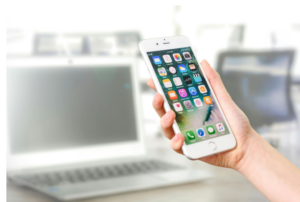
Last Tuesday, I opened my phone to confirm a meeting time. Twelve minutes later I’d answered two DMs, skimmed an email, saved a screenshot “for later,” and… forgot the meeting time.
The fix wasn’t “more discipline.” It was building a simple, low-noise app stack that did the boring parts for me (capture, sort, remind), so I could actually think.
Hooks you can steal
- If your phone feels busy but your calendar doesn’t, this is for you.
- You don’t need a new brain. You need a better capture system.
- Stop letting notifications plan your day—here’s how to plan it yourself.
- What if your phone did less, so you could do more?
Use one as a meeting opener or personal note to kick off your reset.
The system in one line
Capture fast → Plan realistically → Protect focus → Review lightly.
Everything below plugs into that flow.
Optional desktop helper (only if you like light automation)
If you occasionally complement your mobile workflow with quick desktop scripts (renaming files, formatting CSVs, or stitching PDFs) here’s how to install pip Mac to run small Python utilities.
Your single source of truth
Problem it solves: scattered to-dos in chats, emails, and screenshots.
What to look for: quick add from the share sheet, natural-language dates, labels, recurring tasks, and a home-screen widget.
Setup (10 minutes):
- Lists: Today, Next 7 Days, Backlog.
- Turn messages/emails into tasks via the Share button.
- Rule: if it’s >2 minutes, capture; if <2 minutes, do.
- Limit Today to five items so it’s real, not aspirational.
Mindset shift: “Eventually” is not a date. Give every task a when.
Show your actual plan
Problem it solves: meetings crowd out work that requires attention.
Must-haves: natural-language entry, color coding, alerts, cross-device sync.
Setup:
- Block two 45-minute Focus sessions (morning & mid-afternoon).
- Default alerts: –10 min (prep) and +5 min (buffer).
- Colors: Blue = meetings, Green = deep work, Red = deadlines.
Don’t lose ideas you’ll need later
Problem it solves: ideas land everywhere and vanish.
Look for: instant capture (widget/lock screen), tags/folders, camera scanning, audio-to-text, strong search.
Setup:
- Folders: Meetings, Research, Personal admin.
- Meeting template: Date → Attendees → Decisions → Next steps (share to Task Manager).
- Use your scanner to turn whiteboards/receipts into searchable text.
My take: Your future self is busy. Write for them, not for present-you.
Find it in five seconds
Problem it solves: “Where did that PDF go?”
Look for: cloud sync, offline toggle, simple sharing, unified search.
Setup:
- Structure: /Projects/{Name}/01 Brief /02 Assets /03 Deliverables.
- Naming: YYYY-MM-DD-Title.pdf (your search will thank you).
- Star critical folders for offline access before travel/client visits.
Stop the inbox spiral
Problem it solves: email/chat hijack focus blocks.
Use: email client with snooze, send-later, and swipe actions; chat with keyword alerts and channel mutes.
Setup:
- Check windows: 11:30 and 16:30.
- Swipes: Left = Snooze to Focus block, Right = Add task, else Archive.
- Keep only @mentions and priority keywords (client names, “P0,” “urgent”).
Tip: If a message requires thinking, it’s a task—don’t “just reply later.”
Protect the good hours
Problem it solves: tiny interruptions that steal entire afternoons.
Use: built-in Focus/DND plus a site/app blocker if needed.
Setup:
- “Work Focus” allows only calendar, tasks, notes, and calls from favorites.
- App limits: social/news capped to 15 minutes outside work hours.
- During deep work: whitelist only the 2–3 apps you actually need.
Remove friction you don’t notice
Problem it solves: lockouts and resets during crunch time.
Use: a password manager with passkeys, autofill, shared vaults, and built-in 2FA codes.
Setup: vaults for Work, Personal, Clients; enable autofill and passkeys everywhere.
Tiny robots for your routine
Problem it solves: repeated taps and forgotten admin.
Ideas to try:
- Arrive at office → enable Work Focus, open Today list, show today’s events.
- End of day → compile “Waiting On” tasks and draft a quick status note.
- Share to PDF → convert multiple photos into one PDF saved to the current project folder.
Real-life use cases (the stuff people actually do)
Organizing notes from meetings
Capture action items in the meeting template → share each to your Task Manager with a due date. The note stays context; the task drives action.
Summarizing readings
Save articles to your reader app → highlight key lines → export highlights into Notes → add a 5-bullet summary at the top → task yourself to apply one insight this week.
Drafting blog posts on mobile
Voice-dictate a messy outline in Notes → clean it during a Focus block → move the draft to your files folder with a YYYY-MM-DD title → task: “Publish v1 by Friday.”
Your 15-minute Mobile Reset (start here)
- Home screen: Calendar & Task widgets, Notes, Files, Scanner.
- Dock: Phone, Work Messages, Email, Task Manager.
- Focus schedule: Workdays 09:30–12:00 and 14:00–16:00.
- Notifications: Badges only for calendar, tasks, and direct mentions.
- Weekly cleanup (Fri 16:15, 10 min): archive stale chats, delete screenshots, promote next week’s five “Today” tasks.
A note on experimenting without overwhelm
New apps are exciting, but switching costs are real. For many teams, off-the-shelf tools provide a great foundation, though growing businesses often find that custom app development is the only way to truly eliminate the friction of specialized workflows.
If you are just starting your personal reset, keep it simple:
1-week experiment
Day 1: Pick one tool per category.
Days 2–4: Use them without tweaking.
Day 5: Write a 5-line retro—What saved time? What felt heavy? What will you keep?
The takeaway
Your phone becomes productive when it captures reliably, plans realistically, and protects focus. Keep the stack small, the rules simple, and the reviews light. The goal isn’t perfection, it’s clarity you can act on.
Source: FG Newswire