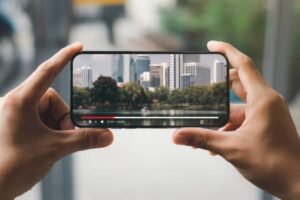
The pixelated or blurry old video footage often frustrates us badly. Voices are clear, but the soft faces and paint-like backgrounds are enough to damage our views. Even in modern videos, the low quality of camera captures does not produce good footage. All these videos require fine enhancements, which just make our experiences better, but do not damage the real feel. This task is challenging, but an AI video enhancer efficiently performs it.
These tools know how to change a low-quality video and make it cleaner and sharper. They can make it watchable again, even better than what you remember.
AI video enhancers work on each frame rather than stretching the picture or increasing the size. They find the real missing areas and elements to fill the gaps. They try not to lose the small but important details. Having an old but poor-quality video? My guide will help you upscale it correctly without asking for any technical skills or complicated things.
How Does an AI Video Enhancer Actually Work?
Manual editing is a tough thing for commoners, and editing tools mostly rely on sharpness sliders or filters. AI video enhancers are built differently. They utilize the smart technology of deep learning to perform commanded tasks.
They learn the art from studying thousands of high-quality videos. They understand the components of real-life images, like
- Edges
- Shadows
- Textures
The tools have better knowledge of how things move from one frame to another.
AI video enhancer tools first deeply learn the uploaded blurry video. It reads each frame to compare it with its knowledge to decide changes. It focuses on
- Facial expressions
- Clothe texture
- Light reflections
Then it creates new but more natural pixels, which offer a cleaner view without making a fake appearance.
You can think of it like a smart editor who knows how to improve a video without changing its original feel. It just works like an AI photo enhancer, but it takes time as it needs to work on every moving frame.
Why Detail Isn’t Lost During Upscaling
Loss of details is the biggest fear of anyone when they decide to enhance any kind of video. Editors mostly destroy components at these stages, but not AI video enhancers. They perform the opposite and try to protect and recover those tiny details that you expect to be there. Here, why such AI enhancers work best:
- It understands context, not the static footage. It doesn’t work on frames step by step; instead, it compares several frames in one row to understand the spot motion. What the facial expressions are and how they change in the next frame. The objects in the background are static or moving from one frame to another.
- The tool smoothes out errors. AI cleans the noise in the frame. It clears the blur and makes the appearance of elements better. It also solves compression problems without flattening the picture.
- AI video enhancers know how to bring a natural tone from the images, as their knowledge requires changes based on real-world visuals.
These tools do not distort your video and do not make it look bigger without a reason. It tries to add natural changes to the image. It enhances the appearance without skipping minor details. The end results show that a better video camera again records the video.
Where AI Video Enhancement Makes a Big Difference
Old phone cameras were not able to provide quality footage. So, old recordings and clips don’t have good resolution and background lighting. Even downloaded files show bad results due to heavy work or CD burning. If you want your old videos to get a new life, use an AI video enhancer to achieve clean and sharp usable footage. Some examples where these AI video enhancers help us
- Upscale family footage to HD or even 4K
- Birthday parties
- School plays
- Wedding memories
- Older YouTube videos become new ones with AI tools
- Get better TikTok clips without re-recording
- Recorded Zoom meetings are often of low quality; enhance them to use further
- Grainy recorded online classes will improve after Video enhancement.
- Also able to clean the CCTV footage to get clear details in security videos.
These tools don’t ask for a professional video editor’s mind to run them better. Anyone who wants to make their old videos enhanced can just click to upload a video and let Artificial Intelligence work on it.
Understand The Reality
AI video enhancers do big jobs, but are not able to perform unrealistic tasks. It enhances and upscales old footage, which has poor quality or a little bit of damage. Big damages and missing large parts are not recoverable with AI video tools. So, remember the following tips to understand reality for good results from any enhancer
- Make a chunk of your footage enhanced and check. Let the enhancer do the whole video if the settings are correct.
- If you see fakeness in the results, it means the settings are too strong, so lower them to get natural results.
- The process takes less time and experiences no lag if your computer has a good graphics card
- AI video enhancers work fast, but you have to be patient, as it takes 15–20 processing minutes for a 2-minute video
It’s better to work with tools that allow you to choose maximum settings. Many tools on the market let you pick
- Noise level to remove
- Sharpness you need
- Require focus on the face or not
You can try different combinations until the result feels right.
Conclusion
AI video enhancers are the right technology to make videos better in quality without employing technical knowledge. It restores our old or poor-quality videos and gives us a completely new form of them. It upscales the footage and doesn’t cause any harm to important details, even makes it better with good work. If you have a special video but do not have the quality you desire, upload it to an AI video enhancer to get a clear view.
Source: FG Newswire