Gone are the days when working or gaming meant being chained to a single desk. Whether you’re a digital nomad catching up on work from a café in Lisbon, an editor rendering video remotely, or a gamer streaming a power-hungry PC title straight to your couch tablet, your experience lives or dies by your remote desktop software. Yet most of us still settle for tools that are slow, complex, or constantly slapping us with “commercial use detected” warnings. For years, legacy giants like TeamViewer and AnyDesk have ruled the space. But let’s be honest: they were built for corporate IT rooms decades ago—not for how we live, work, and play today.
That’s where AweSun comes in. Developed by AweRay, AweSun is a fast, flexible, and completely modern remote desktop solution. It is designed to provide responsive remote access with a simple setup experience across devices.
What Is Remote Desktop Software?
Let’s get a little background before we get into details on how to use remote desktop software. Wikipedia defines remote desktop software as a way for a user to control a computer’s interface from another computer, no matter the distance. The client device transmits the keyboard and mouse operations to the remote machine, and the remote machine transmits a video stream of its desktop to the client device.
Simple idea — but it’s all in the execution! The experience can be seamless or difficult to handle, depending on the latency, compression quality, strength of the encryption, and stability of the connection.
For remote employees, video lag or input lag can cost them time and productivity. When troubleshooting, a few minutes’ delay can make it an hour’s headache for the IT administrator. If gamers can sense more than 30ms lag, it is the end of the deal.
Why Consider AweSun as Your Remote Desktop Software?
Developed by AweRay, AweSun is a remote desktop solution designed to be fast, flexible and secure. AweSun was developed from the ground up to meet the needs of all kinds of users, as opposed to tools that were originally designed for corporate IT and gradually adopted for other applications.
Key Features at a Glance
AweSun aims to provide a smooth experience that closely resembles working directly on your computer. Here is what you get out of the box:
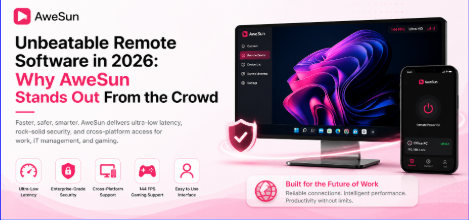
- Up to 144 FPS Streaming: Optimized for smoother visuals during gaming and video playback, depending on network conditions.
- Sub-30ms Latency: Designed for responsive performance, minimizing input delay under stable network connections.
- All-in-One Ecosystem: Flawless cross-platform connection across Windows, macOS, Android, and iOS.
- One-Click Unattended Access: Jump into your home or office PC instantly without needing anyone on the other end to click “Accept.”
- Mobile-to-PC Mastery: A clever, touch-optimized mobile interface that turns your phone into a pocket workstation.
Who Uses AweSun?
1. Gamers & Power Users Who Refuse to Compromise
Most traditional remote desktop apps were built for reading spreadsheets—and it shows. Try running a graphic-heavy game or scrolling through a dense design timeline, and your screen immediately turns into a blurry, tearing mess.
AweSun’s 144 FPS engine changes the game. Backed by smart hardware acceleration, it effectively turns your home PC into your own private, self-hosted cloud gaming service. You don’t have to pay a subscription fee to stream games from a server; you play your own library, using your own gear, from anywhere.
2. Remote Workers and Creative Freelancers
Imagine you’re out of the house and urgently need to grab a local file, run a resource-intensive video render, or log in to a desktop app that isn’t available in the cloud.
With AweSun, you don’t have to deal with frozen screens or dropped connections. Its smart streaming engine dynamically adjusts to your bandwidth. Even if your coffee shop Wi-Fi starts acting up, AweSun keeps the session stable and responsive.
- Everyday Tech Heroes
We’ve all been there: a parent or friend calls because their computer is acting up and they can’t describe what’s wrong. With AweSun, you can securely jump onto their screen in seconds to fix the issue.
You can also use it to manage your own personal “device farm”—transferring photos from your phone to your PC, monitoring a download, or waking up your home computer remotely while you are traveling.
How to Choose Remote Desktop Software
When selecting remote desktop software, consider the following key factors:
- Performance and responsiveness
- Security and encryption standards
- Cross-platform compatibility
- Ease of setup and use
- Mobile access experience
- Pricing and licensing flexibility
Choosing the right tool depends on whether your focus is remote work, IT support, or gaming performance.
AweSun vs. The Competition: An Honest Look
It would be unfair to suggest a tool that doesn’t recognize the terrain on which it operates. The following is a simple analogy:
| Feature | AweSun | TeamViewer | AnyDesk |
| Performance & Speed | Optimized for smooth high-FPS streaming; responsive for gaming and creative work | Reliable for office and enterprise tasks; may slow down under video-heavy workloads | Lightweight and fast for standard office workflows; less optimized for gaming |
| Gaming & 144 FPS Support | Supports up to 144 FPS streaming and is designed for low-latency remote sessions. | Suitable for general remote access but not specifically optimized for gaming workloads. | Handles standard remote sessions well, with limited optimization for high-FPS gaming scenarios. |
| Pricing | Cost-effective with a free plan and flexible subscription options. | Comprehensive feature set but generally higher commercial licensing costs. | Moderate pricing with plans suitable for individuals and businesses. |
| Ease of Use | Quick setup with a modern and beginner-friendly interface. | Easy to deploy with extensive management features for business users. | Simple and lightweight interface that is easy to navigate. |
| Mobile Experience | Smooth and responsive mobile control | Good mobile support | Mobile interface feels limited |
| Security | Financial-grade encryption and secure remote sessions | Trusted enterprise-grade security | Strong encryption standards |
| Best For | Remote work, gaming, freelancers, creators, and small to medium teams. | Enterprise IT support, large organizations, and managed environments. | General remote access, remote support, and everyday business use. |
| Main Limitation | Still growing globally as a newer brand | High pricing for commercial use | Limited gaming optimization |
Security You Can Trust
Security is a core part of AweSun’s design. It includes AES-256 encryption, account verification, and configurable session permissions to help protect remote connections.
AES-256 Encryption
Helps protect remote sessions and transmitted data during communication.
Two-Factor Authentication (2FA)
Adds an extra layer of account security by requiring verification before login.
Session Permission Controls
Lets users manage what a remote session can access, such as file transfer, clipboard sharing, or screen control.
Up and Running in Under 5 Minutes
Getting started with AweSun is simple and requires no advanced technical setup.
Step 1: Download AweSun
Download the official AweSun app from the website.
Step 2: Install on Both Devices
Install AweSun on both the computer you want to access and the device you are using.
Step 3: Create an Account
Sign up and log in to securely link your devices.
Step 4: Enable Unattended Access
Set up a secure access code so you can connect to your PC anytime.
Step 5: Connect
Open the app and select your device to start a remote session.
The Verdict
In a crowded market of old-school software, AweSun stands out by giving everyday users exactly what they want: incredible speed, simple controls, and a generous free tier that doesn’t constantly lock you out.
Whether you’re trying to stream a PC game from your bed, edit a photo on the train, or help a friend troubleshoot their laptop, AweSun makes it seamless, secure, and completely free to try.
FAQs:
1: Can AweSun be trusted to store highly valuable business information?
Yes. AweSun is equipped with AES-256 end-to-end encryption with optional two-factor authentication, which are appropriate for business environments where data security is important. The sessions are not stored on AweSun’s servers, but pass through encrypted tunnels along the way.
2. Is it possible to do unattended remote access with AweSun?
Yes. AweSun makes it possible for remote login without the presence of any human being on the other end. This is particularly helpful for IT administrators, teleworkers, and users traveling around who need to access their systems.
3. Can AweSun be used by novice users who have never used remote desktop software?
Absolutely. The setup process and the user interface of AweSun are very user friendly. No advanced networking skills, VPN configuration or port forwarding is needed to get started. The software is easily installed and ready for the first remote session in minutes for most users.
Source: FG Newswire